
Custom Google Pixel 11 phone case
A custom Google Pixel 11 phone case puts your own photo on a case made for the exact Pixel you carry. You choose the model, pick Tough or MagSafe Tough, place your photo in the preview, and check that nothing important sits under the camera bar. It takes a few minutes, and the preview shows the opening that will be on your case.
New phones have one small problem: for the first months, there are few cases to choose from, and fewer still that carry something personal. This guide walks through what is different about the Pixel 11 family and how to make a case that looks good on it.
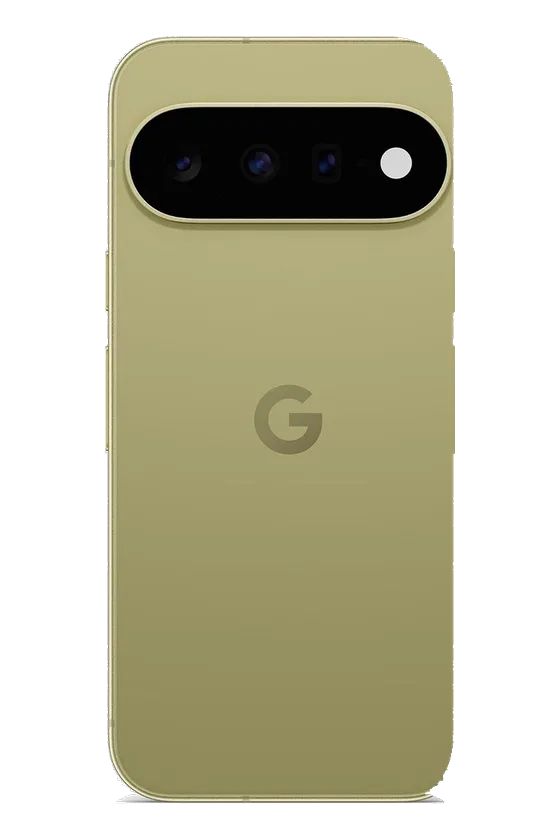
Pixel 11, 11 Pro or 11 Pro XL?
The Pixel 11 comes in three versions, and each one has its own case. The Pro XL is the largest. The Pixel 11 and Pixel 11 Pro are close in size but not identical, and the camera bar sits in a slightly different place. A case for one will not fit the other properly.
To check which one you have, open Settings, then About phone, and read the model name. If the case is a gift, ask, or look at the phone's box: guessing between the Pixel 11 and the 11 Pro is the most common mistake. Cases for the Pixel 10 family do not fit the Pixel 11 either.
Which case types the Pixel 11 has
For all three Pixel 11 models we offer two case types:
| Case type | What it is | Best for |
|---|---|---|
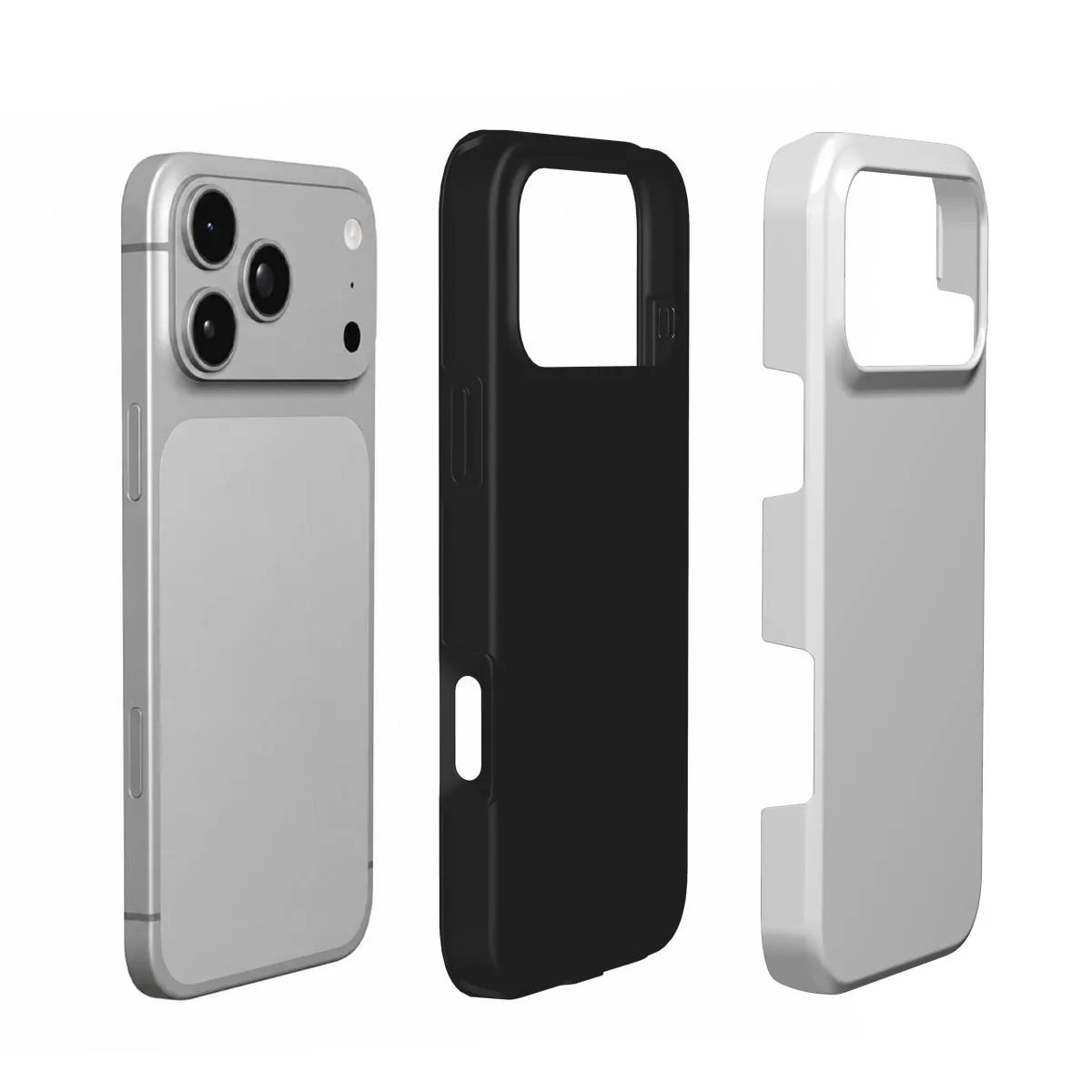
| Tough | A rigid outer shell over a shock-absorbing liner. Your print sits on the outer shell. | Everyday protection, phones that get dropped |
| MagSafe Tough | Tough with a magnetic ring built into the case. | Magnetic chargers, grips, wallets and car mounts |
Do you need MagSafe Tough?
Pixel phones do not have magnets in the back. If you want to use MagSafe-compatible accessories, such as a magnetic charger, a phone grip, a wallet or a car mount, the magnets have to come from the case. MagSafe Tough has a magnetic ring built in, so those accessories attach to the back of the case.
If you only charge on a cable or a regular wireless pad and never use magnetic accessories, the standard Tough is enough. Both types work with wireless charging.
Why there is no Snap or Clear for Pixel 11
We only offer the case types that have been made and tested for each phone. For the Pixel 11 family, those are Tough and MagSafe Tough. If you want a slimmer case, a Tough case is still a reasonable size for daily use.
Designing around the camera bar
The camera bar is the one thing that shapes every Pixel 11 design. It runs across the upper part of the back, so the top of your photo will be partly cut away. A few simple rules keep that from spoiling the picture:
- Keep faces in the middle and lower half. A face just under the camera bar looks crowded. Move it down until there is clear space above the head.
- Let the top be background. Sky, a wall, water or a plain backdrop at the top of the photo means the bar only covers something unimportant.
- Keep words away from the edges. Text near the rim or the camera bar can be cut. A short name in the lower third is safe and easy to read.
- Check the preview, not the photo. The design step shows the opening for the model you chose. Judge the result there.
Photos that work on a Pixel 11 case
The back of a phone is about twice as tall as it is wide. Portrait photos, taken with the phone held upright, fit naturally. A wide landscape photo loses its sides, so zoom and move it until the part that matters fills the case.
Some ideas that suit the Pixel 11's shape:
- A pet portrait. One close photo with sharp eyes, the face in the middle of the case. See our dog and cat photo guides.
- Two people. A close photo with both faces in the middle. See our couple photo guide.
- A trip. One tall view with sky at the top, where the camera bar sits. Our travel photo guide explains how to choose it.
- Just a color. Pick a background color and add a name. No photo needed.
- A simple name. A favorite photo with a first name or a date in the lower third.
Whatever you choose, use the original photo from your camera roll. Screenshots and photos downloaded from social media are often too small to print sharply on the full back of a phone.
Make your Pixel 11 case in three steps
- Choose model. Pick Pixel 11, Pixel 11 Pro or Pixel 11 Pro XL. The rest of the design follows that choice.
- Case type. Choose Tough, or MagSafe Tough if you use magnetic accessories.
- Design. Tap the case to add your photo. Drag it, and pinch or scroll to zoom, until faces sit well below the camera bar. Pick a background color and add a name or a date if you like. Read the preview once more before you send it.
Mistakes to avoid
- Ordering a Pixel 11 case for a Pixel 11 Pro, or the other way round.
- Placing a face or a name right under the camera bar.
- Choosing standard Tough when you plan to use a magnetic grip or charger.
- Using a blurry or very small photo. Zoom in on your screen first: if the eyes are soft there, they will be soft on the case.
How long it takes
We make and dispatch your case within 2 business days after payment. Delivery then usually takes 5–7 business days within Europe, 5–10 to the United States and up to about 20 to Australia. These are estimates, not a promised arrival date, so leave some room before a birthday or a holiday.
To order, add the case to your cart when the preview looks right and pay securely with Stripe. Personalized cases are made for you, so they cannot be returned because the photo, the spelling or the model was wrong. If your case arrives damaged or does not match the preview, write to us with the order number and a photo.
New to custom cases? Read how to design a custom phone case and how to choose a case material.
Questions
Does a Pixel 11 case fit the Pixel 11 Pro?
No. The Pixel 11, Pixel 11 Pro and Pixel 11 Pro XL each have their own case, because the size and the camera bar differ.
Does a custom Pixel 11 case work with wireless charging?
Yes. Both Tough and MagSafe Tough work with wireless charging. MagSafe Tough also holds magnetic chargers and accessories in place.
Do Pixel 11 phones work with MagSafe accessories?
Not on their own, because the phone has no magnets in the back. Choose MagSafe Tough: its built-in magnetic ring lets MagSafe-compatible accessories attach.
Can I get a Snap or Clear case for Pixel 11?
Not at the moment. The Pixel 11 family is offered in Tough and MagSafe Tough.
Where should I put my photo on a Pixel 11 case?
Keep faces and text in the middle and lower half. The camera bar covers part of the top, so let the top of the photo be sky or background.