
Travel photo phone case
A travel photo phone case brings a trip back every time you pick up your phone. Travel photos are made for wide screens: coastlines, skylines, mountain ranges. A phone case is tall. Choose a photo that still works when the sides are cut away, or make a collage of the trip first.
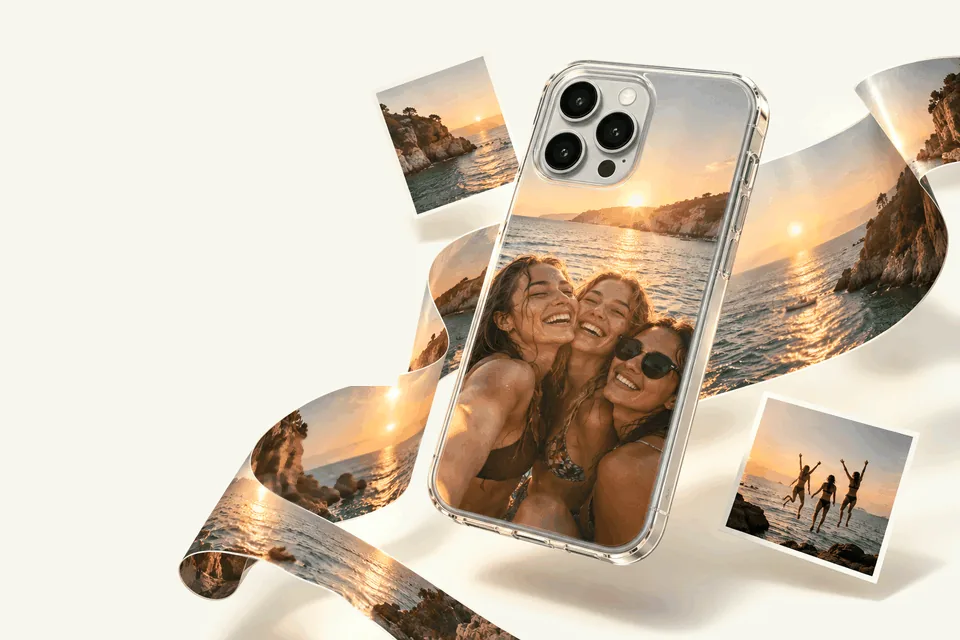
Look for tall shapes
Towers, trees, waterfalls, narrow streets, cliffs and portraits fit a case naturally. A wide beach panorama loses most of its view. If your favorite photo is wide, crop it to the part that matters most, often a person, a building or a boat, rather than trying to fit the whole horizon.
Use the sky
Travel photos often have sky at the top. That is good news: the camera opening sits at the top of the case, and a calm sky behind it means nothing important is cut away.
See what you lose, then choose
When you drag a wide photo on the case, the faded part outside shows exactly what will not be printed. Move the photo until the part you care about is inside. If too much is lost, choose a taller photo.
The trip as a postcard
The case takes one picture. For the whole trip, the view, the food, the people and the place you stayed, put four photos together in your phone's photo app, save them as one picture and upload that. Mix close-ups and wide shots so it does not feel crowded.
Straighten the horizon
A tilted sea or skyline is the first thing people notice. In the design step, the Transform tool has rotate buttons in small steps. Use them until the horizon is level, then zoom in slightly so no empty corners show.
Before you choose: a sharp original
Whatever the subject, the photo has to be sharp at full size. The back of a phone is much larger than a thumbnail, and every soft edge shows. Three quick checks help:
- Use the original file from your camera roll, not a screenshot, a social-media download or a photo sent through a messaging app. Those are compressed and lose detail.
- Zoom in on your screen. If the eyes or the edges look soft when you zoom in, they will look soft on the case.
- Prefer daylight. Photos taken in good light have less grain and truer colors than evening shots.
Add the place and the year
"Lisbon 2026" says enough. Place it on the sky or on a calm area of one photo, away from the camera opening and the edges. Light letters on a blue sky, or dark letters on pale sand, are easy to read.
Which case type
Tough is made for travel days, bags and airport floors. Snap and Clear are lighter. Choose a phone case material compares them.
A souvenir or a gift
A travel case is a good way to remember a honeymoon, a school trip or a family holiday, and a thoughtful gift for whoever you travelled with. Check their phone model before you start.
Make it in three steps
- Choose model. Choose your exact phone.
- Case type. Tough for travel days, Snap or Clear for a lighter case.
- Design. Tap the case to add the photo, drag and zoom it, rotate any tilted horizon in Transform, and add the place with Text.
Mistakes to avoid
- A wide panorama that loses its best part in a tall crop.
- A tilted horizon.
- Text placed over a busy part of the photo.
Ordering and delivery
When the preview looks right, add the case to your cart and pay securely with Stripe, in euros, pounds or dollars. We make and dispatch your case within 2 business days after payment. Delivery then usually takes 5–7 business days within Europe, 5–10 to the United States and up to about 20 to Australia. These are estimates, so leave some room before a birthday or a holiday.
Your case is made for you, so it cannot be returned because the photo, the spelling or the model was wrong. If it arrives damaged or does not match the preview, write to us with the order number and a photo.
Questions
Can I use a landscape photo on a phone case?
Yes, but the sides will be cropped. Drag the photo until the part that matters most is inside the case; the faded part shows what is left out.
How do I fix a tilted horizon?
Use the rotate buttons in the Transform tool, then zoom in slightly so no empty corners show.
Can I put several travel photos on one case?
Yes. Put them together in your phone's photo app, save them as one picture and upload that.
What text suits a travel case?
The place and the year, for example Lisbon 2026, placed on the sky or a calm area.