
Dog photo phone case
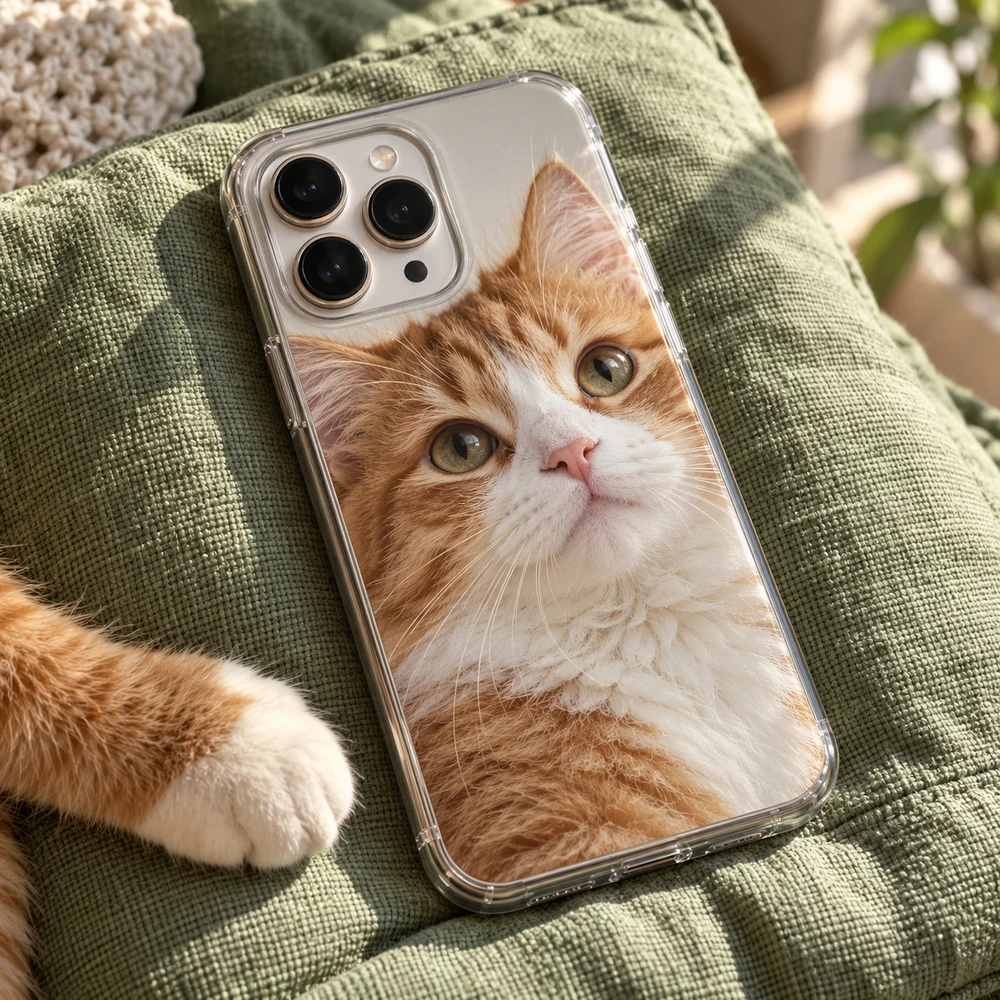
A dog photo phone case puts your dog's picture on a case made for your exact phone. The photo that works best is not always the cutest one in your camera roll. It is the one where the eyes are sharp, the face fills the frame, and nothing important sits where the camera opening will be.
This guide helps you pick that photo, frame it for a tall case, and choose a case type and background that suit your dog.
Choosing the photo
Get down to eye level
Most dog photos are taken from standing height, looking down. That makes the head look large and the body small, and the eyes often catch less light. For a case, choose a photo taken at your dog's eye level, or crouch down and take a new one. The eyes are what people look at first, so they need to be sharp.
Watch for motion blur
Dogs move. A photo that looks fine on your phone can turn out soft when you zoom in on the whiskers, the nose and the edge of the ears. A dog resting in daylight usually gives a sharper photo than a dog mid-run. If you love an action shot, zoom in first and make sure the face is crisp.
Let the coat stand out
A black dog on dark grass, or a white dog on pale sand, can lose its outline. Choose a photo where the coat and the background are clearly different: a dark coat against a light wall or bright grass, a light coat against greenery or stone. The shape of your dog then stays clear even from a distance.
A tall frame
The back of a phone is about twice as tall as it is wide. A photo of your dog sitting or looking up fits that shape well. A dog lying stretched out across a sofa is wide, and most of it will be cropped away.
Before you choose: a sharp original
Whatever the subject, the photo has to be sharp at full size. The back of a phone is much larger than a thumbnail, and every soft edge shows. Three quick checks help:
- Use the original file from your camera roll, not a screenshot, a social-media download or a photo sent through a messaging app. Those are compressed and lose detail.
- Zoom in on your screen. If the eyes or the edges look soft when you zoom in, they will look soft on the case.
- Prefer daylight. Photos taken in good light have less grain and truer colors than evening shots.
One portrait, or a portrait with a color frame
The case takes one photo across the back. A close portrait that fills the case is the classic choice. For a softer look, zoom out a little and pick a background color: the color then frames your dog, like a print in a mount. A coat-matching color, or one from the collar, works well.
Want puppy and now, or walks, naps and muddy paws together? Make a collage in your phone's photo app first, save it as one picture and upload that.
Keep the face clear of the camera
The camera opening is cut out of the case, usually in the top corner or across the top. Move your photo so ears, nose and eyes sit in the middle of the case. If the head is near the top of the photo, zoom out a little and move it down. The preview shows the exact opening for your phone.
Which case type suits a dog owner
Tough is a rigid shell over a shock-absorbing liner, a good choice if your phone comes along on walks and gets dropped. Snap is thin and light. Clear prints your photo on the back and leaves the sides clear. Which types you can choose depends on your phone model; choose a phone case material compares them.
Add a name
Your dog's name is a small finishing touch. Keep it short, place it on a calm part of the photo, such as the grass or the background, and choose light letters on a dark area or dark letters on a light one.
Make it in three steps
- Choose model. Pick the exact phone the case is for.
- Case type. Tough for walks and drops, Snap for a slim case, or Clear if you want the phone's color around the photo.
- Design. Tap the case to add your photo. Drag it, and pinch or scroll to zoom, until the face sits in the middle and clear of the camera opening. Pick a background color and add the name.
Mistakes to avoid
- A photo where the eyes are soft or the face is blurred by movement.
- A dark dog on a dark background on a dark case.
- Ears or nose placed under the camera opening.
- A wide photo that loses most of the dog when cropped to a tall case.
Ordering and delivery
When the preview looks right, add the case to your cart and pay securely with Stripe, in euros, pounds or dollars. We make and dispatch your case within 2 business days after payment. Delivery then usually takes 5–7 business days within Europe, 5–10 to the United States and up to about 20 to Australia. These are estimates, so leave some room before a birthday or a holiday.
Your case is made for you, so it cannot be returned because the photo, the spelling or the model was wrong. If it arrives damaged or does not match the preview, write to us with the order number and a photo.
Making a gift for a dog lover? See our pet photo cases for more ideas.
Questions
What makes a good dog photo for a phone case?
A sharp photo taken at your dog's eye level, with the face filling much of the frame and a background that contrasts with the coat.
Can I put more than one dog on a case?
Yes. Use one photo of both dogs, or make a collage in your phone's photo app and upload it as one picture.
How do I stop the camera opening covering my dog's face?
Drag the photo and pinch or scroll to zoom until the face sits in the middle of the case. The preview shows the exact opening for your phone.
Can I add my dog's name?
Yes. Add a short line of text and place it on a calm part of the photo, away from the camera opening and the edges.