
Cat photo phone case
A cat photo phone case puts your cat on a case made for your exact phone. Cats are mostly photographed indoors, often in the evening and often asleep. That gives you lovely memories and some tricky prints. A few checks before you start make the difference between a crisp case and a dark, grainy one.
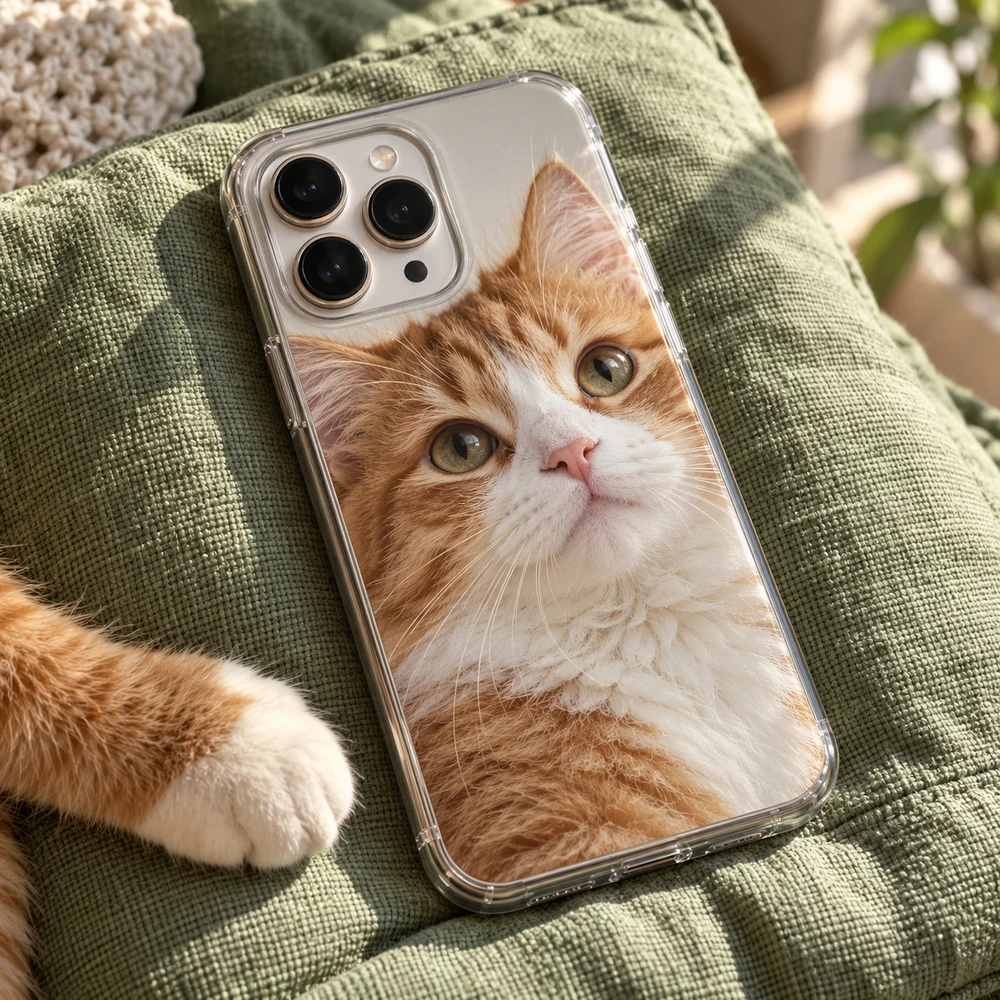
Choosing the photo
Find the daylight photos
Indoor photos taken at night have grain and muddy colors. On a small screen you hardly notice, but on the full back of a case it shows. Look for a photo taken near a window during the day. If you have none you love, sit by a window with a toy and take a few new ones.
Skip the glowing eyes
Flash turns cat eyes into bright yellow or green discs. Choose a photo without flash, where you can see the color of the eyes and the shape of the pupils. Those eyes are what make a cat portrait.
Look at the whiskers
Whiskers and the tips of the ears are the first details to disappear in a soft photo. Zoom in on them. If they are sharp, the rest of the photo usually is too.
Sleepy poses need a tight crop
A curled-up cat on a big sofa becomes a small shape on a tall case. You can still use the photo: pinch or scroll to zoom in until the cat fills most of the case. Check the preview afterwards, because zooming in also makes any blur more visible.
Before you choose: a sharp original
Whatever the subject, the photo has to be sharp at full size. The back of a phone is much larger than a thumbnail, and every soft edge shows. Three quick checks help:
- Use the original file from your camera roll, not a screenshot, a social-media download or a photo sent through a messaging app. Those are compressed and lose detail.
- Zoom in on your screen. If the eyes or the edges look soft when you zoom in, they will look soft on the case.
- Prefer daylight. Photos taken in good light have less grain and truer colors than evening shots.
One cat, two cats, or just a color
- A close portrait with clear eyes is the classic cat case.
- Two cats who never sit together: put two photos side by side in your phone's photo app, save them as one picture and upload that.
- A color frame: zoom out a little and choose a background color, for example one that matches the fur or the eyes.
Keep the face clear of the camera
The camera opening is cut out of the case. Move the photo so the eyes and ears sit in the middle of the case, with space above the head. The design step shows the exact opening for your phone, so judge the result there.
Which case type suits your cat photo
A pale cat on a Clear case lets the phone's own color frame the photo. Tough adds a shock-absorbing liner if your phone is often dropped. Snap keeps it thin. The types on offer depend on your phone model; choose a phone case material explains the differences.
A gift for a cat owner
A cat case is an easy gift if you can get a good photo. Ask the owner to send a favorite one, and check which phone they have. A short name or a date in the lower part of the case finishes it off.
Make it in three steps
- Choose model. Pick the exact phone the case is for.
- Case type. Tough, Snap or Clear, as listed for that model.
- Design. Tap the case to add your photo, zoom until the cat fills the case, keep the face clear of the camera opening, and pick a background color if you like.
Mistakes to avoid
- Grainy evening photos and flash eyes.
- A sleeping cat left small in a big room.
- Whiskers or ears placed under the camera opening.
Ordering and delivery
When the preview looks right, add the case to your cart and pay securely with Stripe, in euros, pounds or dollars. We make and dispatch your case within 2 business days after payment. Delivery then usually takes 5–7 business days within Europe, 5–10 to the United States and up to about 20 to Australia. These are estimates, so leave some room before a birthday or a holiday.
Your case is made for you, so it cannot be returned because the photo, the spelling or the model was wrong. If it arrives damaged or does not match the preview, write to us with the order number and a photo.
More ideas are on our pet photo cases page.
Questions
Why do cat photos often print dark?
Most are taken indoors in low light. Choose a daylight photo near a window, without flash, and check the eyes and whiskers when you zoom in.
Can I use a photo of a sleeping cat?
Yes. Pinch or scroll to zoom in so the cat fills most of the case, then check the preview for sharpness.
How do I put two cats on one case?
Use a photo of both, or put two photos together in your phone's photo app, save them as one picture and upload that.
Can I add my cat's name?
Yes. Add a short line of text on a calm part of the photo, away from the camera opening.