
Custom Samsung Galaxy S26 case
A custom Galaxy S26 case puts your own photo on a case made for your exact Samsung. The S26 family has four phones, S26, S26 Plus, S26 Ultra and S26 FE, and each has its own case. Choose yours, pick a case type, place your photo in the preview, and keep faces away from the cameras in the top-left corner.
This guide explains how to tell the four phones apart, which case types each one offers, and how to design around the Galaxy's camera layout.
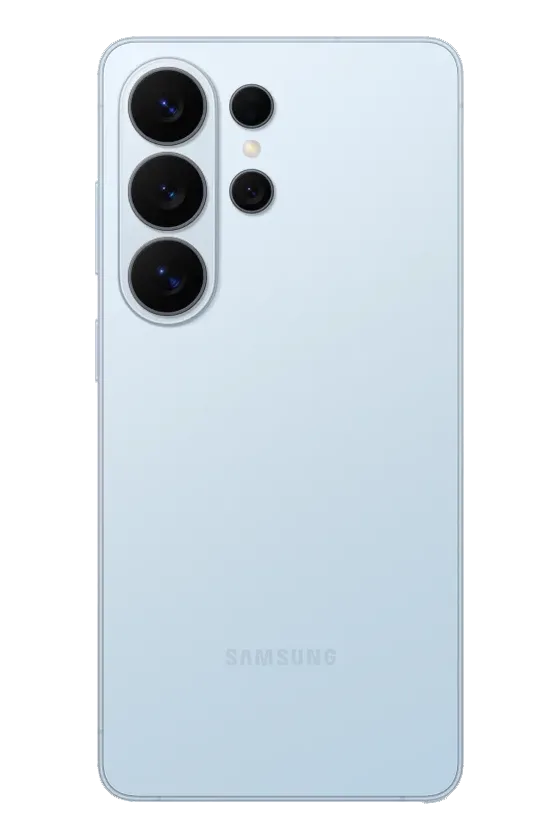
Which Galaxy S26 do you have?
The four phones differ in size and in camera layout, so a case for one does not fit another. Open Settings, then About phone, and read the model name. A case for an S25 does not fit an S26 of the same name either.
- Galaxy S26: the compact model.
- Galaxy S26 Plus: the same idea, larger.
- Galaxy S26 Ultra: the largest, with a bigger camera layout.
- Galaxy S26 FE: its own size and camera layout.
Case types for each S26 model
The S26, S26 Plus and S26 Ultra are offered in four case types:
| Case type | What it is | Best for |
|---|---|---|
| Tough | A rigid outer shell over a shock-absorbing liner. Your print sits on the outer shell. | Everyday protection, phones that get dropped |
| MagSafe Tough | Tough with a magnetic ring built into the case. | Magnetic chargers, grips, wallets and car mounts |
| Snap | A thin one-piece shell that clicks around the phone. | Keeping the phone slim and light |
| Clear | Your print on the back, with clear sides. | Showing the phone's own color around the photo |
The S26 FE is offered in Tough and MagSafe Tough.
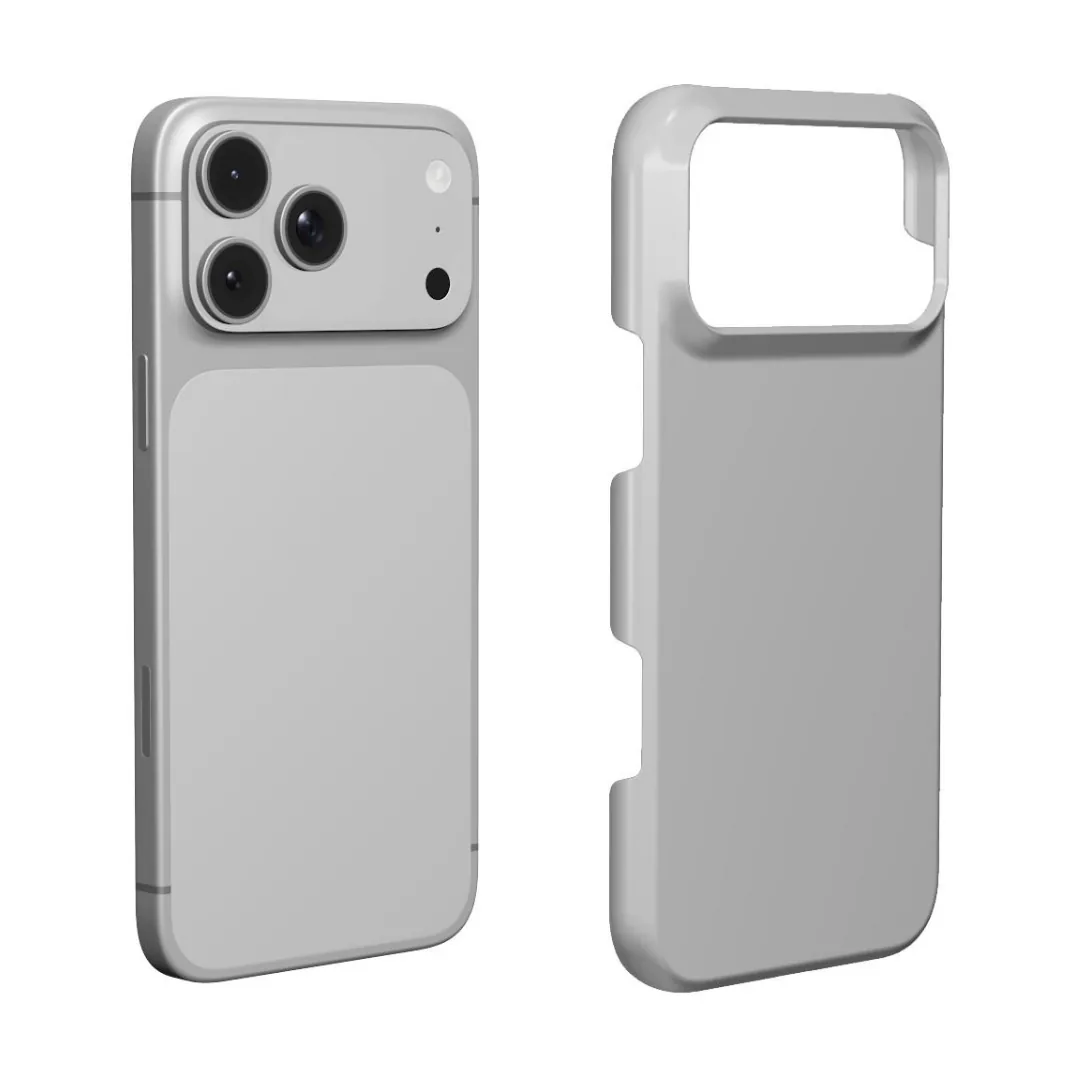
Magnetic accessories on a Galaxy
Galaxy phones have no magnets in the back, so MagSafe-style accessories do not attach on their own. MagSafe Tough has a magnetic ring inside the case. With it, magnetic chargers, grips, wallets and car mounts attach to the back of your Galaxy. If you never use magnetic accessories, Tough, Snap or Clear are enough, and all of them work with wireless charging.
Which type suits the Ultra?
The Ultra is a large, heavy phone. Many Ultra owners choose Tough for the extra protection. If you carry it in a pocket and want to keep it as slim as possible, Snap adds the least. Clear shows the phone's own color around your photo.
Designing around the cameras
On every S26 model, the cameras sit on the upper left of the back. On the Ultra, three large lenses run down in a column with smaller sensors beside them. On the S26, the lenses are grouped together in the same corner. That area is cut out of the case.
- Keep the subject center or right. A face in the top-left corner will be partly covered.
- Leave the top left to background. Sky or a plain wall there means the cutout only covers something unimportant.
- Place text low. A name or date in the lower third stays clear of the cameras and the rim.
- Re-check on a second phone. If you make matching cases for an S26 and an S26 Ultra, design each one on its own model. The cameras are in a different place, so the crop may need a small change.
Photos for the S26
The Ultra prints your photo large, so a sharp original matters more than on a small phone. Zoom in on the photo before you choose it: if the eyes or the edges are soft on your screen, they will be soft on the case.
- One photo works for a portrait, a pet or a favorite place.
- Two friends or two pets close together in one photo. See our best friend guide.
- A family photo cropped close. Our family photo guide shows how.
- Just a color with a name, no photo needed.
Make your Galaxy S26 case in three steps
- Choose model. Pick S26, S26 Plus, S26 Ultra or S26 FE.
- Case type. Tough, MagSafe Tough, Snap or Clear, as listed for your model.
- Design. Tap the case to add your photo, then drag it and pinch or scroll to zoom until faces are away from the top-left cameras. Pick a background color and add a name or date if you like.
Design an S26 Ultra case Design an S26 case
Mistakes to avoid
- Ordering an S26 case for an S26 Plus or Ultra, or reusing an S25 size.
- Expecting magnetic accessories to hold without MagSafe Tough.
- Placing a face in the top-left corner, under the cameras.
- Printing a small or compressed photo on the large Ultra.
How long it takes
We make and dispatch your case within 2 business days after payment. Delivery then usually takes 5–7 business days within Europe, 5–10 to the United States and up to about 20 to Australia. These are estimates, not a promised arrival date, so leave some room before a birthday or a holiday.
To order, add the case to your cart when the preview looks right and pay securely with Stripe. Personalized cases are made for you, so they cannot be returned because the photo, the spelling or the model was wrong. If your case arrives damaged or does not match the preview, write to us with the order number and a photo.
Questions
Does a Galaxy S25 case fit the S26?
No. Each S26 model has its own size and camera layout, so it needs its own case.
Can I use MagSafe accessories with a Galaxy S26?
Yes, with MagSafe Tough. Galaxy phones have no magnets in the back, and the magnetic ring in MagSafe Tough lets MagSafe-compatible accessories attach.
Which case types are available for the Galaxy S26 Ultra?
Tough, MagSafe Tough, Snap and Clear. The S26 FE is offered in Tough and MagSafe Tough.
Where should my photo go on a Galaxy S26 case?
In the center or to the right. The cameras sit on the upper left, so keep faces and text away from that corner.
Does a custom S26 case work with wireless charging?
Yes. All the case types for the S26 family work with wireless charging.